Logic: verschil tussen versies
Geen bewerkingssamenvatting |
Geen bewerkingssamenvatting |
||
| (11 tussenliggende versies door dezelfde gebruiker niet weergegeven) | |||
| Regel 1: | Regel 1: | ||
{{#tag:easytree| | {{#tag:easytree| | ||
Logic | Logic | ||
:Wijzig MIDI velocity: als de MIDI input te zacht is | |||
::{{#tag:easyview|NTkQYBCCeGI|type=youtube|thumbnail=2023 - {{mdsr:icon}}media/video.png Logic Pro #61 - Velocity Processor MIDI FX|head=[https://www.youtube.com/watch?v=NTkQYBCCeGI 2023 - Logic Pro #61 - Velocity Processor MIDI FX]|ref=Video afkomstig van [https://www.youtube.com/@MusicTechHelpGuy MusicTechHelpGuy]}} | |||
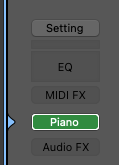
::1 Klik boven het instrument<br>{{mdsr:icon}}music/Velocity1.png | |||
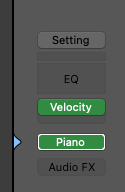
::2 Selecteer ''Velocity Processor''<br>{{mdsr:icon}}music/Velocity2.png | |||
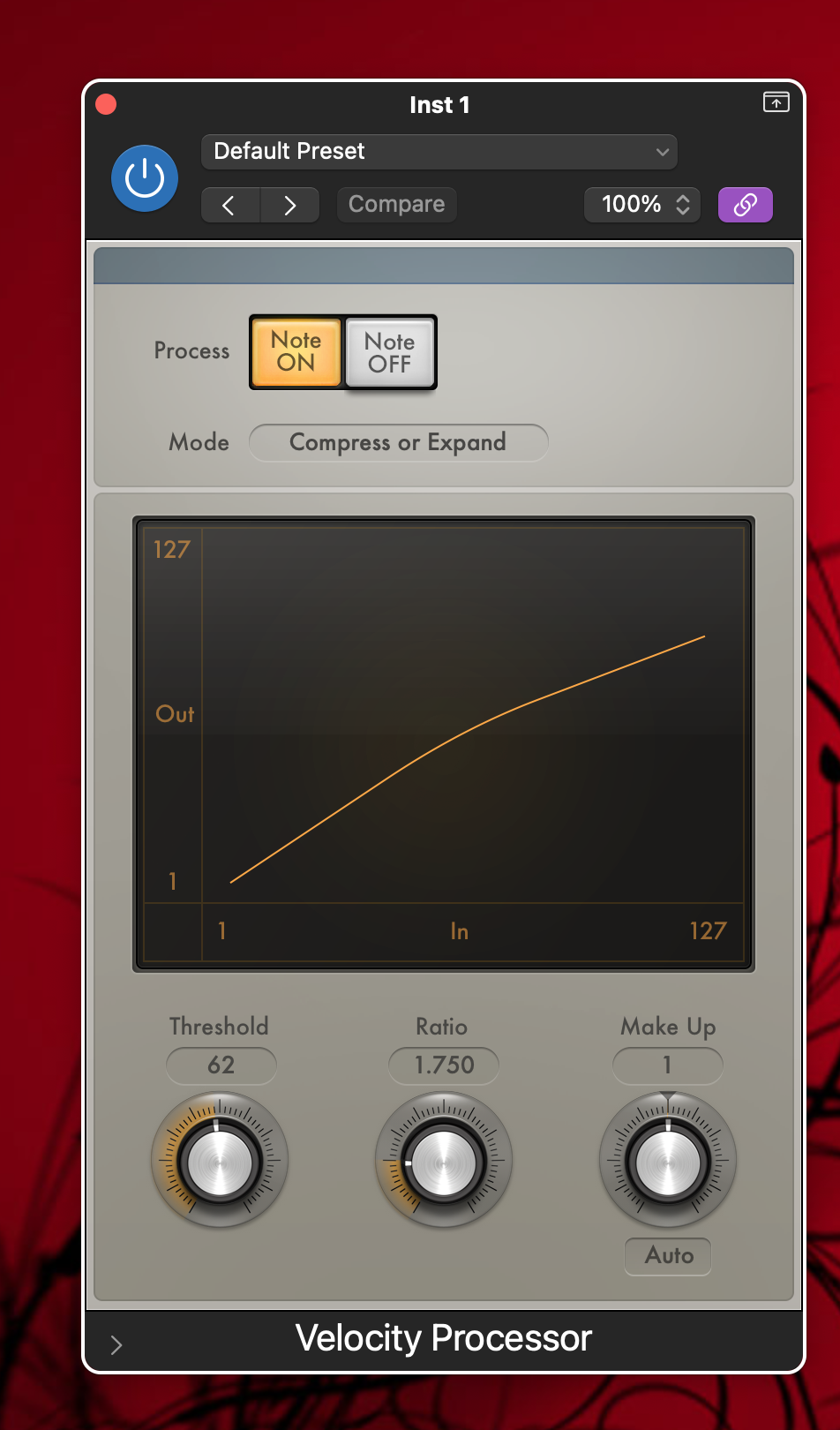
::3 Klik op ''Velocity''<br>{{mdsr:icon}}music/Velocity3.png | |||
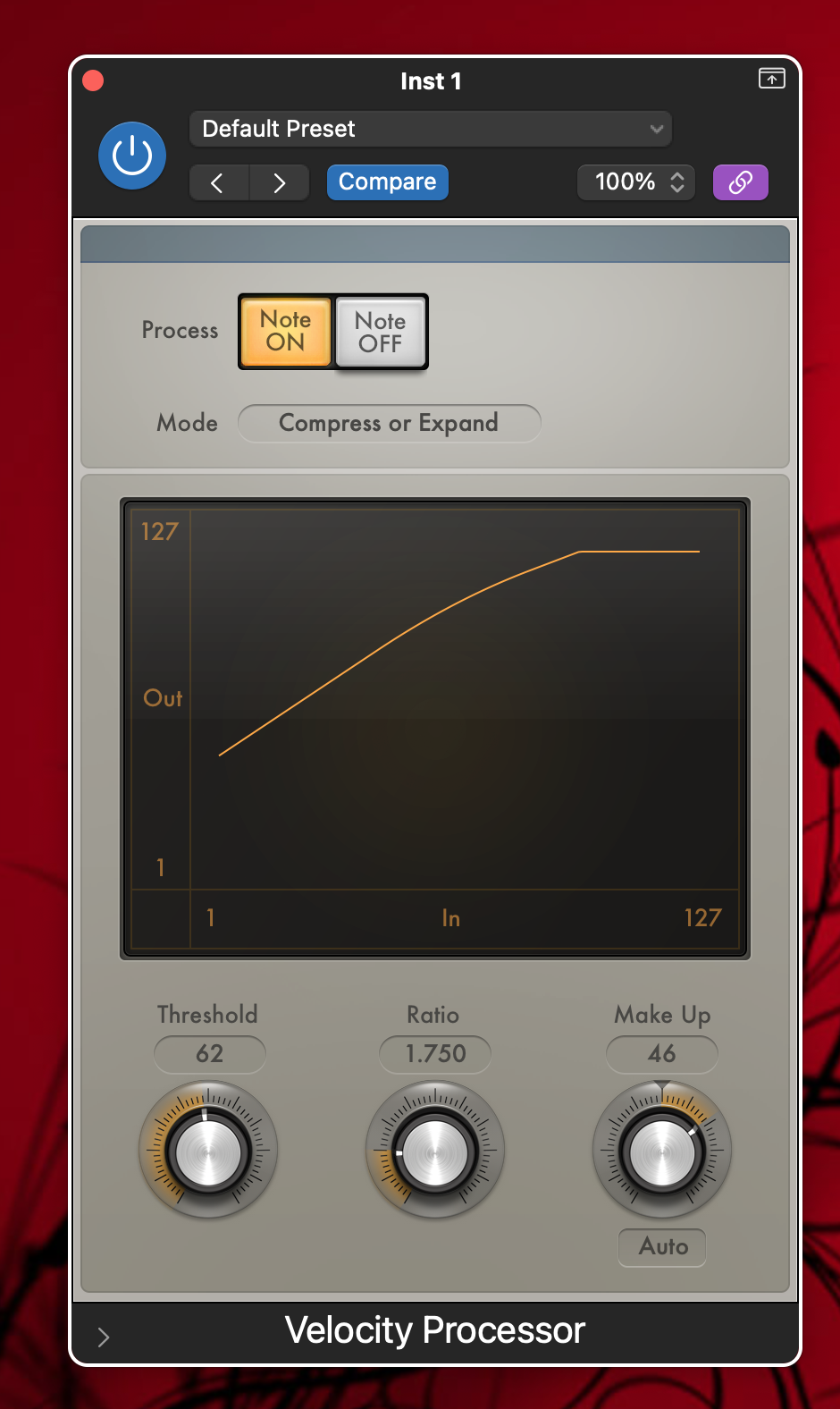
::4 Draai de knop onder ''Make up'' tot de hardste aanslagen tot 127 komen<br>{{mdsr:icon}}music/Velocity4.png | |||
:{{#tag:easyview|d8tByJVrXc0|type=youtube|thumbnail=2024 - AI is TAKING OVER LOGIC PRO!! - New Logic Pro 11 Walkthrough!|head=[https://www.youtube.com/watch?v=d8tByJVrXc0 2024 - AI is TAKING OVER LOGIC PRO!! - New Logic Pro 11 Walkthrough!]|ref=Video afkomstig van [https://www.youtube.com/@Music-By-Mattie Music By Mattie]}} | :{{#tag:easyview|d8tByJVrXc0|type=youtube|thumbnail=2024 - AI is TAKING OVER LOGIC PRO!! - New Logic Pro 11 Walkthrough!|head=[https://www.youtube.com/watch?v=d8tByJVrXc0 2024 - AI is TAKING OVER LOGIC PRO!! - New Logic Pro 11 Walkthrough!]|ref=Video afkomstig van [https://www.youtube.com/@Music-By-Mattie Music By Mattie]}} | ||
:{{#tag:easyview|EstzH6BuY0U|type=youtube|thumbnail=Logic Pro X Record System Audio Using Soundflower|head=[https://www.youtube.com/watch?v=EstzH6BuY0U Logic Pro X Record System Audio Using Soundflower]|ref=Video afkomstig van [https://www.youtube.com/channel/UCrsgLQBKh6gUsqwtQvftrXA LogicProXnet]}} | :{{#tag:easyview|EstzH6BuY0U|type=youtube|thumbnail=2013 - Logic Pro X Record System Audio Using Soundflower|head=[https://www.youtube.com/watch?v=EstzH6BuY0U 2013 - Logic Pro X Record System Audio Using Soundflower]|ref=Video afkomstig van [https://www.youtube.com/channel/UCrsgLQBKh6gUsqwtQvftrXA LogicProXnet]}} | ||
:{{#tag:easyview|GU9nHBSC0lw|type=youtube|thumbnail=Logic Pro X Audio to Midi|head=[https://www.youtube.com/watch?v=GU9nHBSC0lw Logic Pro X Audio to Midi]|ref=Video afkomstig van [https://www.youtube.com/channel/UCmanft84Qh0LY6cfDrLZYeA Paul Nolan]}} | :{{#tag:easyview|GU9nHBSC0lw|type=youtube|thumbnail=2013 - Logic Pro X Audio to Midi|head=[https://www.youtube.com/watch?v=GU9nHBSC0lw 2013 - Logic Pro X Audio to Midi]|ref=Video afkomstig van [https://www.youtube.com/channel/UCmanft84Qh0LY6cfDrLZYeA Paul Nolan]}} | ||
:{{#tag:easyview| | :{{#tag:easyview|1utOxYEPzRA|type=youtube|thumbnail=2018 - Connecting two Macs via ethernet and Network MIDI|head=[https://www.youtube.com/watch?v=1utOxYEPzRA 2018 - Connecting two Macs via ethernet and Network MIDI]||ref=Video afkomstig van [https://www.youtube.com/@fromstudiotostage fromstudiotostage]}} | ||
:{{#tag:easyview|_q5VEelmCdg|type=youtube|thumbnail=How to Install sf2. SoundFonts on your Mac|head=[https://www.youtube.com/watch?v=_q5VEelmCdg How to Install sf2. SoundFonts on your Mac]}} | :{{#tag:easyview|_q5VEelmCdg|type=youtube|thumbnail=How to Install sf2. SoundFonts on your Mac|head=[https://www.youtube.com/watch?v=_q5VEelmCdg How to Install sf2. SoundFonts on your Mac]}} | ||
:Verwijderen van alle bestanden van de plugin Addictive Drums<ref name=plugin">Informatieafkomstig van [https://www.kvraudio.com/forum/viewtopic.php?t=300732 How do I fully uninstall Addictive Drums on OSX?]</ref> | :Verwijderen van alle bestanden van de plugin Addictive Drums<ref name=plugin">Informatieafkomstig van [https://www.kvraudio.com/forum/viewtopic.php?t=300732 How do I fully uninstall Addictive Drums on OSX?]</ref> | ||
 Logic Pro 61 - Velocity Processor MIDI FX